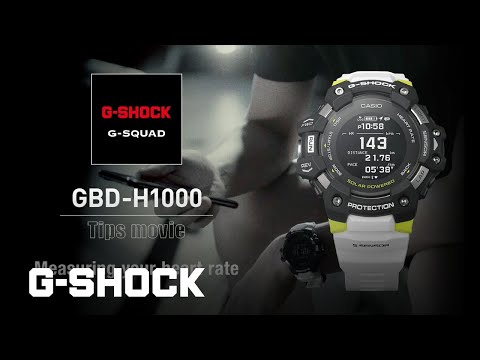
Did you know that Casio had presented a new G-Shock model from the G-Squad line? Yes, the Casio G-Shock GBD-H1000, and the truth is that it is a sports watch with GPS and heart rate measurement that will not leave anyone indifferent. In this Casio G-Shock GBD-H1000 review, we will be analyzing the smart watch and try to find out if it’s worth a buy or not?
We have been testing it for a few weeks now and we can already give our opinion of this watch. It has great potential. Its hardware is spectacular: it has everything you will need in a sports watch (excellent solar battery that never runs out, GPS that works very well, very effective pulse meter, the hardness of a G-Shock …) but you have Keep in mind that it is a Casio watch and not a Garmin, TomTom and other sports watch. We tell you its peculiarities.
What does this mean? Do not look for a huge touch screen, do not look for a color screen, and above all, you have to get used to menus a little more confusing than those presented by other sports watches.
You are going to have to navigate with button presses (1, 2) and filter a large amount of information. Nothing that is not something usual in Casio.
Moral? If you have already had a Casio G-Shock in your hands, this watch will appear wonderful, even simple to use and configure thanks to its bluetooth connection and app. If you come from a sports watch from another brand, it may be difficult to get it at first.
Its big competitor at the moment is the Garmin Instinct Solar. Detailed comparison of both models? Garmin Instinct Solar vs Casio G-Shock GBD-H1000: sports watch comparison .
Table of Contents
Casio G-Shock GBD-H1000 Review
- Features and Getting Started

Right now there are 4 G-Shock GBD-H1000 watches (all have a negative display):
- G-Shock GBD-H1000-1: completely in black
- G-Shock GBD-H1000-4: completely in red
- G-Shock GBD-H1000-8: in a gray shade with red accents (the one we tested)
- G-Shock GBD-H1000-1A7: with blank strap
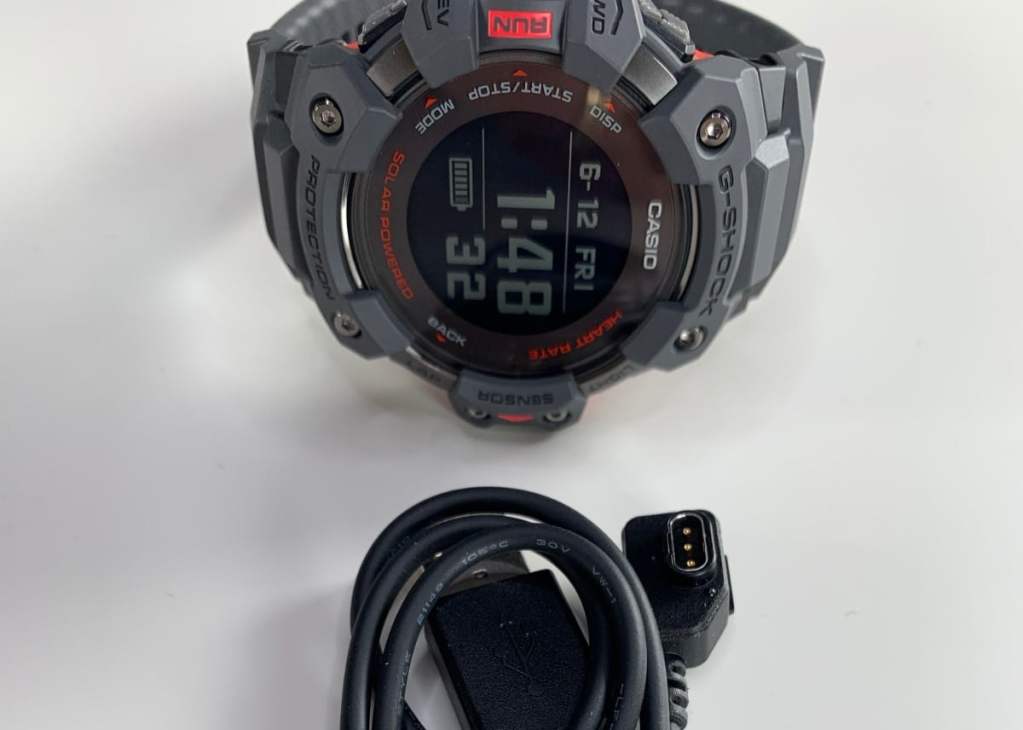
Its characteristics are as follows:
- Casio Module: 3475 (PDF and HTML instructions)
- Dimensiones: 63 mm x 55 mm x 20,4 mm
- Weight: 101 grams
- Solar power system and cable charging
- Exact GPS time
- Resin case and strap
- Mineral crystal
- Shock resistant and 20 bar water resistance
- 4 daily alarms
- automatic LED light
- Automatic calendar
- Lap memory 100
- Step counter
- VO2max recovery time, training analysis
- GPS speed / distance measurement
- Compass, Barometer (260 / 1,100 hPa), Thermometer (-10 ° C / +60 ° C), Altimeter 10,000 m
- Calculation of calorie consumption (CAL)
- Target heart rate alarm and optical heart rate measurement
- Bluetooth y Phone Finder
- Notifications from smartphone
- Stopwatch, alarm clock, universal time
- Training Planner
The truth is that it is a watch with tremendous specifications, and best of all, you do not have to carry it around continuously. You can make a first charge through the cable and then the solar cells present in the upper part do their magic: we have not charged the watch more times and we have used the GPS and the training functions for two weeks, Spectacular!
How was the start-up? Simple. Really. Used to watches like the Rangeman 9400, this is a ride through the country whistling.
The good thing about this watch is that by having bluetooth connectivity, you can download the Casio Move app on your Android or iOS smartphone and configure many parameters from there.
The most tedious thing is that they ask you to sign up for Casio when you install the app and start it up. As soon as you do, you can set the clock.
If you have already downloaded the app, activate bluetooth and hold down the A button on your watch (top left) for 2 seconds to start pairing.
A menu appears on your watch, you search for “Pairing” with button A or D (top left and bottom left), press C (middle left button) and search for Connect (press C again). And the App is already connected to the clock. It will probably ask you to update the watch software. It takes about 10 minutes.
Then you will start configuring your user profile, heart rate measurement settings and you will be asked to create an activity plan.
And what before you did directly on the watch by pressing a thousand buttons, now you can do it in the app easily: set the time and set it in your city, change settings such as sounds, alarms, light, timer or change things like the training sphere, Notification notifications from the mobile, GPS etc … A blessing.
Everything can be done just with the clock, but you have to have a certain skill to navigate through the menus. At a minimum, you will need to download the extended instructions in PDF. The little quick-start booklet that comes with the watch won’t do you good.
In this app you will be able to directly configure your training plan:
And see all your statistics. Then we see it in more detail. Now we are going to see the design of the clock.
In Casio they have recorded a few videos of their main functions:
- Design & Build
The truth is that it is a really well manufactured watch, in line with other G-Shock with a design very similar to the Rangeman 9400 but with the entire black screen and slightly less cared buttons (those of the Rangeman are better, especially the 4 small buttons).
You know, Casio G-Shock = drop resistance, water resistance. Typical of this Casio range.
It’s a comfortable watch to wear, even at night in bed to sleep, but it’s quite large - 63mm x 55mm x 20.4mm. My doll is 18.5cm tall, so you can get an idea of how it looks in the following photos:
The watch is quite wide as you can see, and has the characteristic G-Shock design: large buttons, edges above the glass. This particular model fits the wrist quite well.
- Battery
What strikes you in this photo? The sphere with on-screen data is small. The watch is very large, but the dial is small. Why? They had to make room for solar charging on the front of the watch.
The dial is surrounded by solar panels that give this watch such spectacular battery life. It is the price to pay, and the truth is that it is worth it: many people do not want to charge their watch every night or every week.
With this Casio model you get just that: if the sun shines a little every day, the battery is not going to drop anything at all. What’s more, you just need to give it clarity during the day or artificial light to charge it. The instructions tell you how long it takes to charge with each type of light. With the direct sun it does not take anything, and in Spain that is not lacking.
If to that we add a black and white LCD screen = infinite battery.
The time mode (with measurement of the count of steps and notifications) can be used only with the solar charge as indicated in Casio itself.
- Time mode: when charged for about 8 hours a day under indoor fluorescent lighting (500 lux), and charged next to the window on a sunny day for 2 hours in a week (10,000 lux).
- Training mode: With about 2.5 hours of cable charging (with some rather strange pins created by Casio), the training functions can be used continuously for up to 14 hours.
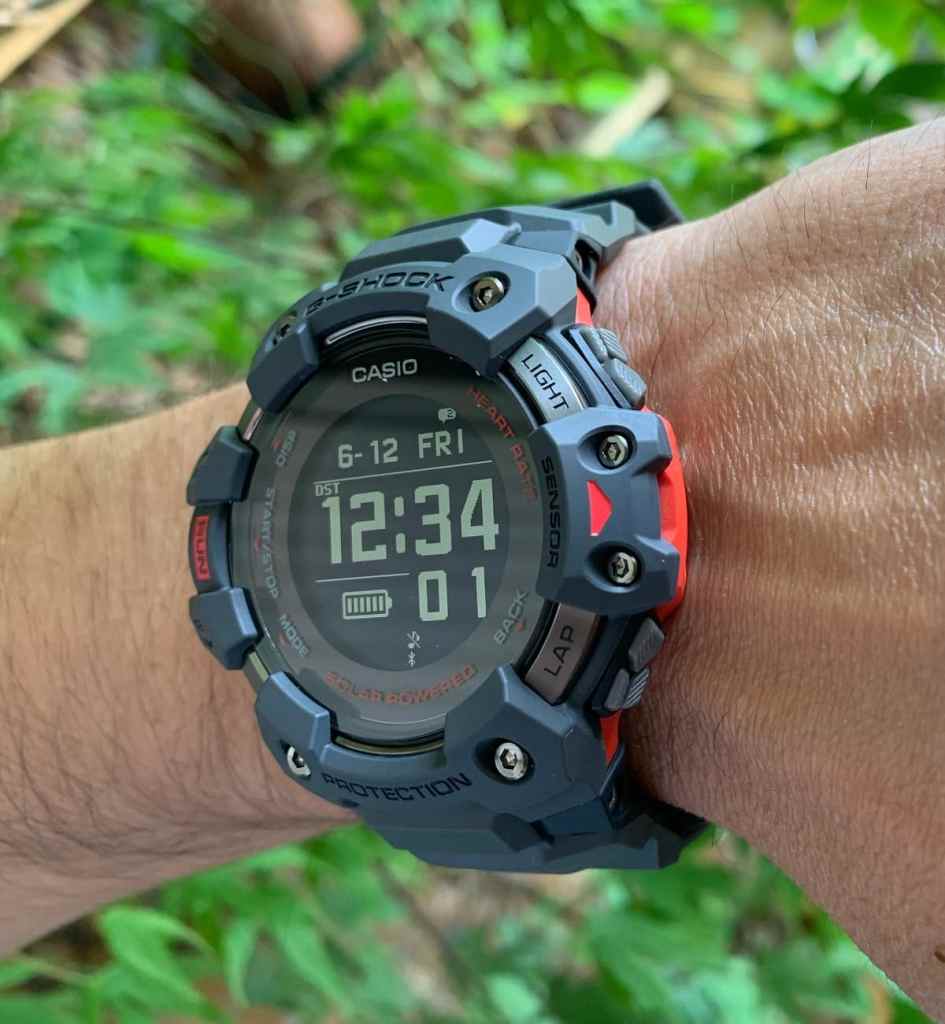
The model in gray with red details draws a lot of attention, but it seems that the one with the white strap is the most demanded.
The strap is missing only the small, more pronounced lip at the end of the strap so that the strap adjustment does not come off. The buckle could have been fully metal to enhance its look (like the one on the Rangeman 9400).
The MIP LCD (Memory in pixel LCD) screen is really readable in all kinds of situations, in direct sunlight, in the dark with its automatic light. Perfect With a great contrast.
Buttons? The red and metallic rimmed centerpiece is beautiful and smooth to play. It is the one that you are going to use to start your training, the GPS and others.
The other four buttons. It is missing that they are metallic, but the truth is that they pulse well and have a good grip, perfect for pressing them during your workouts.
The urethane band has recesses to improve the ventilation of the watch, a good thing for race training.
On the back you will find the sensor to measure your heart rate and the connector pins via cable (which seems like we are going to use little).
On the screen itself you will find quite a few indications: very useful to know what each button on the clock is for.
- Interface
The truth is that having previously used other Casio G-Shock watches, navigating its interface is simple. Buttons to one side, to the other … You just have to look at the instruction manual and everything is quite well explained.
But it is possible that if you come from another type of sports watches, it will cost you a lot at first to go from one function to another. It is understandable. It is not the most intuitive watch in the world.
What is a bit overwhelming on some of the screens is the large amount of information that is offered. It would be appreciated if the data sphere had more space. If you are training, some functions and data are shown very small on the screen to see them at a glance.
In training mode you can change the type of dial and customize the data you want to see and not, but you can’t change anything else on the watch (a shame):
Eye! In the initial clock time screen, by pressing the upper left button (A) you can change the type of information you have on the screen: only time and day, daily and monthly achievements, heart rate, Vo2 Max status … In all these screens you will always see the time and day.
Everything is always visible even in broad daylight thanks to its negative screen. With that there is no problem.
- Training Mode & Other Functions
If you have bought this watch, it is possible that its main function is to control your running workouts. All the data collected by the watch will end up in the mobile app, and there you will be able to analyze your data.
But you will also be able to connect with the Android or iOS Health applications, Strava or Google Fit. Interesting. And what a shame they don’t include MapMyRun or RunKeeper.
In the Casio Move app you will be able to consult all the data and you will even be able to see your routes on a map. It is quite accurate.
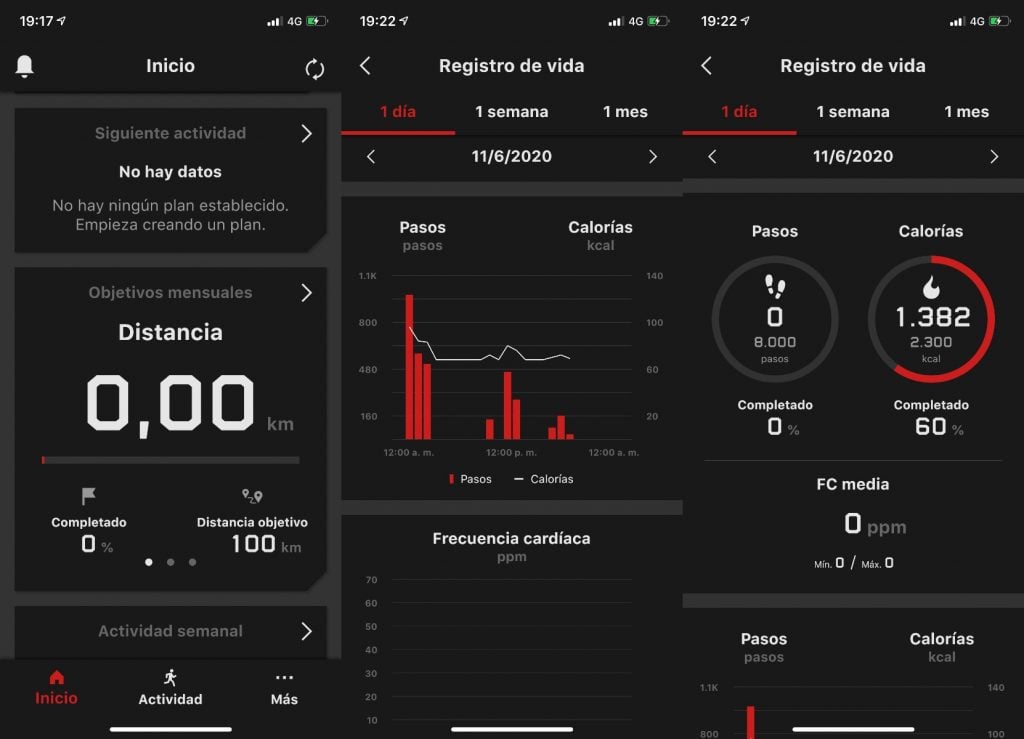
It will count your steps, calories or heart rate (in the instructions they tell you how and where to place the watch so that the measurement is more accurate: below the protruding wrist bone and leaving a finger wide between your wrist and the clock), and you can configure these functions to be always active (goodbye to the battery) or to only collect data during workouts (better this option).
You will also be able to know your Vo2 Max (come on, how is your physical form) after doing a few workouts.
It does not have multisport or swimming options. A shame But you can set goals or train at intervals, rest, know when you have to run again, etc …
Eye! You can also check the notifications of your smartphone: be careful with this, it is boring to hear a beep every time one arrives. Mute the sound.
What is interesting is the function of finding the phone from your Casio. Perfect for the clueless.
And what we have not found is a way to pass some details into Spanish. The date and the day remain in English …
- Firmware Updates
After a few months, we have started receiving Firmware updates, which is very good. The watch has a lot of potential, but it needs to polish a few things. Casio can continue to improve, and that means the watch is “alive.”
When you connect the watch to the app, an update message will appear. Wait a bit and sync the clock first. When the synchronization is done, say “yes” to the “update”. Do not take the watch away from your smartphone.
The clock screen will change its drawing (see the photo) and when it is completed, a message of everything correct will appear in the app:
Conclusion: Is Casio G-Shock GBD-H1000 Worth A Buy?
It is probably one of the best sports watches in its category. It’s packed with features, it’s rugged, its battery life is tremendous, and its app is well-designed, though not at the level of the Garmin or Fitbit apps.
If you can “love” its “Casio-style” menu system, this sports watch is going to give you a lot of joy.
You just have to keep in mind that it is something big, and that its design is very personal (if you like G-Shock you will be used to it).
The only thing missing would be that you could customize the clock a little more, change the spheres, see the data to your liking.
It is perfect for runners, to control all workouts to your fingertips, to keep track of your health.
It is not a cheap watch, but it will last you a lifetime. Its price right now on the official Casio website is $399. You can get a discount of 10 euros if you subscribe to their page for the first time.
Hope you find this Casio G-Shock GBD-H1000 review useful. Keep following Machine Monsters!